
Looking for a WaveDrom alternative with a graphical interface? WavePaint gives you all the power of WaveDrom with an intuitive visual editor – no JSON coding required.
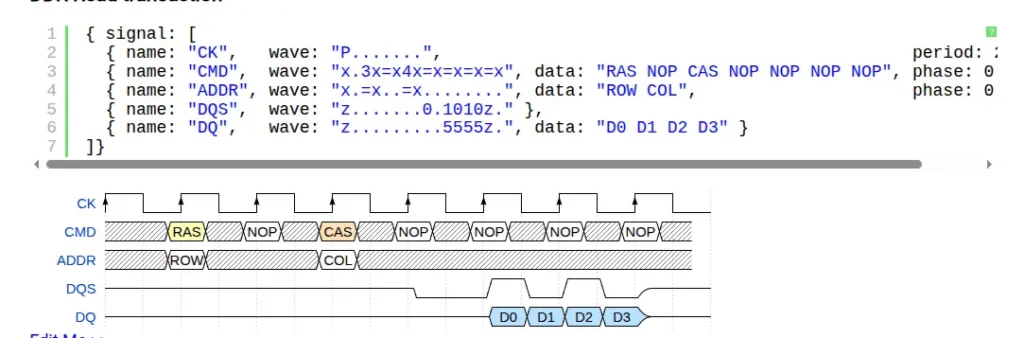
Why Engineers Look for WaveDrom Alternatives
WaveDrom is a popular open-source tool for creating timing diagrams using JSON syntax. While it’s powerful and widely used, many engineers find themselves searching for alternatives because:
- Steep learning curve – You need to learn WaveDrom’s specific JSON syntax before creating your first diagram
- No visual editing – Every change requires modifying JSON code and regenerating the diagram
- Error-prone syntax – A misplaced comma or bracket can break your entire diagram
- Difficult to make quick edits – Simple changes like moving a signal or adjusting timing require code modifications
- Limited annotation options – Adding custom annotations requires understanding the notation system
WavePaint: The Visual WaveDrom Alternative
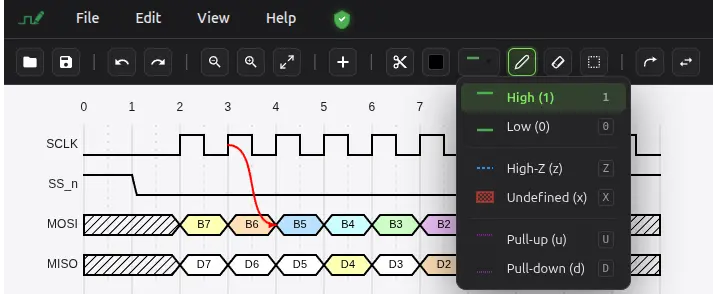
WavePaint is a powerful digital timing diagram editor that works directly in your browser. Unlike text-based tools like WaveDrom, WavePaint offers an intuitive graphical user interface (GUI) that lets you draw waveforms visually, without writing JSON code.
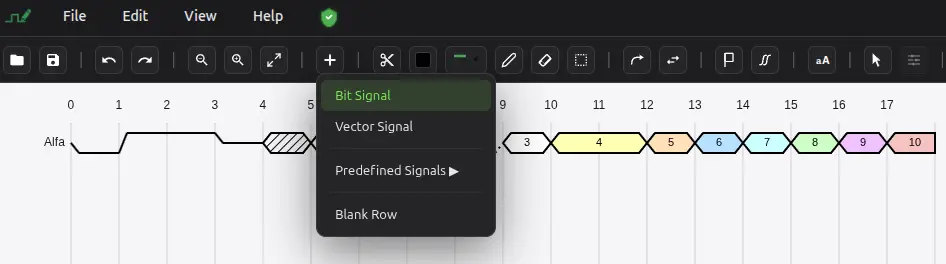
WavePaint vs WaveDrom: Feature Comparison
| Feature | WaveDrom | WavePaint |
|---|---|---|
| Visual Editor | ❌ No | ✅ Yes |
| JSON Input | ✅ Required | ✅ Optional (Import/Export) |
| Click-to-Draw | ❌ No | ✅ Yes |
| Drag and Drop Signals | ❌ No | ✅ Yes |
| Signal Groups | ✅ Yes | ✅ Yes (collapsible) |
| Arrows | ✅ Yes | ✅ Yes (visual placement) |
| Text Annotations | ✅ Limited | ✅ Flexible positioning |
| VCD Import | ❌ No | ✅ Yes |
| Undo/Redo | ❌ No | ✅ Yes (100 levels) |
| Export to WaveDrom | N/A | ✅ Yes |
| Export to PNG/SVG | ✅ Yes | ✅ Yes |
| Light/Dark Theme | ✅ Via skins | ✅ Yes |
| Learning Curve | Medium-High | Low |
Full WaveDrom Compatibility
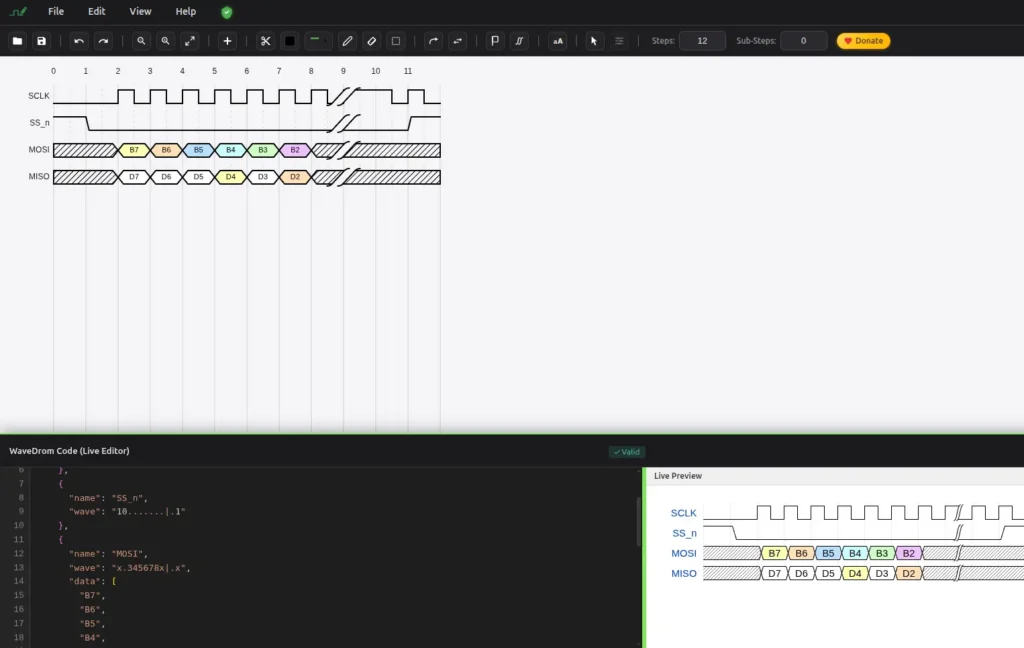
Already have WaveDrom diagrams? No problem. WavePaint can import your existing WaveDrom JSON files, let you edit them visually, and export them back to WaveDrom format. This makes WavePaint the perfect companion tool for WaveDrom users who want visual editing capabilities.
Import WaveDrom JSON
Simply paste your WaveDrom code or upload a JSON file. WavePaint parses the WaveJSON format and converts it to an editable visual diagram. All your signals, annotations, and styling are preserved.
Export to WaveDrom
After making visual edits, export your diagram back to WaveDrom JSON format. Use it in your documentation pipeline, embed it in web pages, or share it with colleagues who prefer the text-based workflow.
When to Use WaveDrom vs WavePaint
Use WaveDrom when:
- You need to embed diagrams in web pages with live rendering
- You prefer text-based workflows and version control for diagrams
- You’re automating diagram generation from scripts
Use WavePaint when:
- You want to create diagrams quickly without learning JSON syntax
- You need to make frequent visual edits
- You’re importing VCD files from simulations
- You want an intuitive tool for non-technical team members
- You need advanced annotation and arrow placement
Start Using WavePaint Today

Join thousands of engineers who’ve discovered the easier way to create timing diagrams. WavePaint runs in your browser – no installation required. It’s 100% free.