

Looking for the best timing diagram editor? Whether you’re documenting digital protocols, designing hardware, or teaching digital electronics, you need a tool that makes creating professional timing diagrams fast and intuitive.
What is a Timing Diagram Editor?
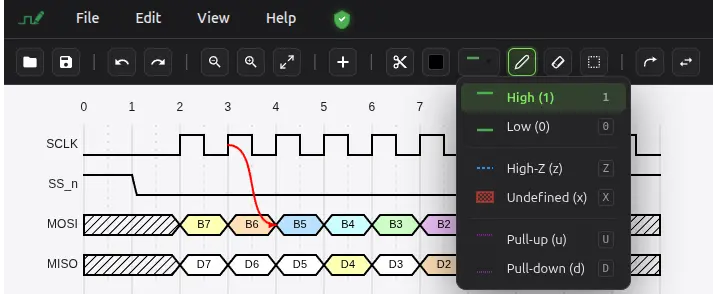
A timing diagram editor is specialized software that allows engineers, students, and technical writers to create visual representations of digital signals over time. These diagrams are essential for understanding how digital circuits behave, how protocols like SPI, I2C, and UART work, and how different signals interact with each other.
Why Traditional Tools Fall Short
Many engineers resort to using general-purpose drawing tools like PowerPoint, Visio, or even Paint to create timing diagrams. The result? Hours spent aligning signals, inconsistent styling, and diagrams that are nearly impossible to update when specifications change.
Text-based tools like WaveDrom require you to write JSON code to generate diagrams. While powerful, this approach has a steep learning curve and makes quick edits cumbersome.
WavePaint: The Modern Timing Diagram Editor
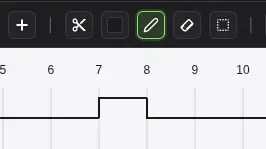
WavePaint is a powerful digital timing diagram editor that works directly in your browser. Unlike text-based tools like WaveDrom, WavePaint offers an intuitive graphical user interface (GUI) that lets you draw waveforms visually, without writing JSON code.
Key Features That Set WavePaint Apart
- Visual Drawing Tools – Click and draw signals directly on the canvas. Paint bit values (0, 1, X, Z) with intuitive brush tools.
- Multiple Signal Types – Support for bit signals, vector/bus signals with hexagonal styling, and blank rows for organization.
- Arrows and Annotations – Add arrows between signals to show timing relationships. Insert text annotations anywhere on the diagram.
- Markers and Time Spans – Add vertical markers to highlight critical timing points. Create time span indicators to show durations.
- Signal Groups – Organize related signals into collapsible groups for cleaner, more readable diagrams.
- WaveDrom Compatible – Import existing WaveDrom JSON files and export back to WaveDrom format for seamless integration.
- VCD Import – Load Value Change Dump (VCD) files directly from your digital simulation tools.
- Multiple Export Formats – Export to PNG, SVG, JPG for documentation. Export to VCD, CSV, or TXT for further processing.
Built-In Protocol Examples
WavePaint comes with ready-to-use examples for popular digital protocols:
- SPI (Serial Peripheral Interface)
- I2C (Inter-Integrated Circuit)
- UART (Universal Asynchronous Receiver-Transmitter)
- AMBA APB and AXI
- PCIe (PCI Express)
- DDR SDRAM
- Ethernet MII
- Wishbone Bus
Who Uses Timing Diagram Editors?
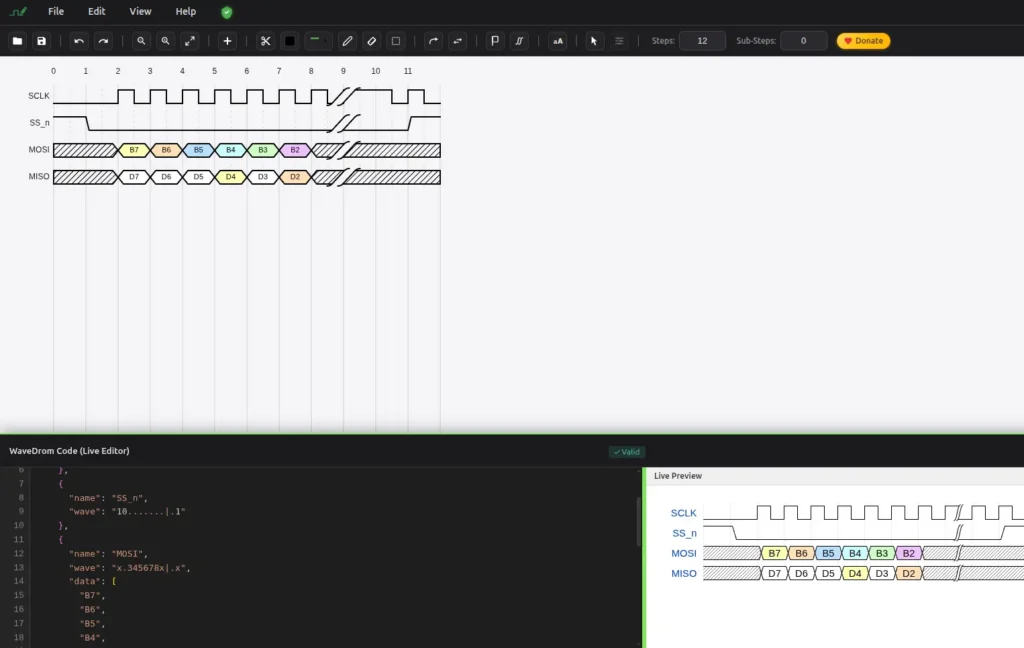
Hardware Engineers use timing diagrams to document FPGA designs, ASIC specifications, and embedded system interfaces. WavePaint helps them create clear, professional diagrams that communicate timing requirements precisely.
Technical Writers rely on timing diagram editors to illustrate protocol documentation, datasheets, and application notes. WavePaint’s export options make it easy to integrate diagrams into any documentation workflow.
Students and Educators benefit from visual tools that help them understand and teach digital logic concepts. WavePaint’s intuitive interface makes learning timing analysis accessible.
Firmware Developers need to understand and document the timing behavior of peripherals and communication protocols. WavePaint helps bridge the gap between hardware and software documentation.
100% free. Use WavePaint Today
WavePaint runs entirely in your browser – no installation required. Start creating professional timing diagrams in seconds. Whether you’re documenting a simple SPI transaction or a complex DDR memory interface, WavePaint has the tools you need.