
Create publication-ready timing diagrams without installing software. WavePaint runs entirely in your browser, giving you professional waveform editing tools instantly.

Why Choose an Online Timing Diagram Tool?
Traditional timing diagram software requires installation, licensing, and often runs only on specific operating systems. An online timing diagram tool eliminates these barriers:
- No installation – Open your browser and start creating
- Cross-platform – Works on Windows, Mac, Linux, and Chromebooks
- No licensing hassles – No dongles, activation codes, or subscription management
- Always up to date – Automatic updates without downloads
- Access anywhere – Use from any computer with a browser
WavePaint: Professional Online Waveform Editor
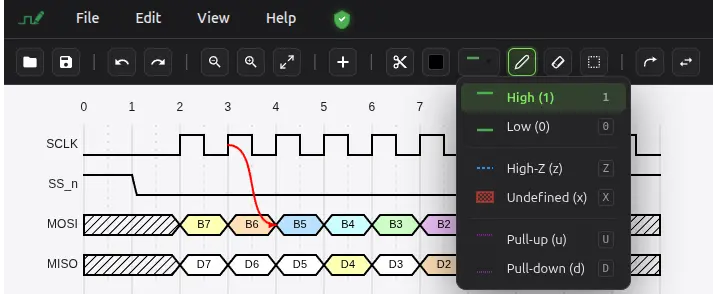
WavePaint is a powerful digital timing diagram editor that works directly in your browser. Unlike text-based tools like WaveDrom, WavePaint offers an intuitive graphical user interface (GUI) that lets you draw waveforms visually, without writing JSON code.
Full-Featured Browser Application
WavePaint isn’t a limited web demo – it’s a complete timing diagram editor with all the features you need:
- Multiple signal types – Bit signals, vector buses, blank rows
- Visual drawing tools – Click and paint waveforms directly
- Arrows and annotations – Show timing relationships and add labels
- Markers – Highlight timing events with vertical markers
- Signal groups – Organize complex diagrams
- Undo/Redo – Full history with 100 levels
- Import/Export – VCD, WaveDrom JSON, PNG, SVG, JPG
- Themes – Light and dark modes
Your Data Stays Private
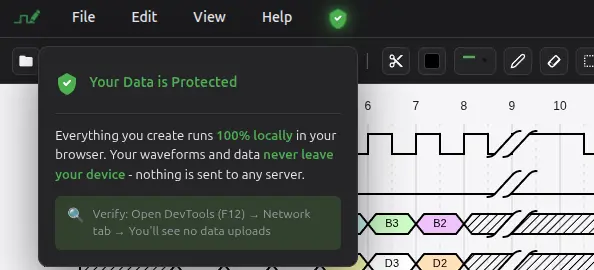
WavePaint runs 100% client-side in your browser. Your diagrams are never uploaded to any server. Save files locally on your computer in WavePaint’s native .wp format or export to standard formats.
Perfect for Remote Teams
Online tools shine in distributed team environments:
- No IT support needed – Team members can start using WavePaint immediately
- Consistent experience – Everyone uses the same version
- Easy file sharing – Export diagrams or share .wp files via email, Slack, or cloud storage
- WaveDrom compatibility – Integrate with documentation systems that already use WaveDrom
Online Tool Comparison
| Feature | WavePaint | WaveDrom Online | Draw.io | Lucidchart |
|---|---|---|---|---|
| Purpose-built for timing diagrams | ✅ | ✅ | ❌ | ❌ |
| Visual WYSIWYG editor | ✅ | ❌ | ✅ | ✅ |
| No coding required | ✅ | ❌ | ✅ | ✅ |
| VCD import | ✅ | ❌ | ❌ | ❌ |
| Signal-aware editing | ✅ | ✅ | ❌ | ❌ |
| Vector bus display | ✅ | ✅ | Manual | Manual |
| Arrows with snapping | ✅ | Limited | ✅ | ✅ |
| 100% client-side | ✅ | ✅ | Partial | ❌ |
| Free to use | ✅ | ✅ | ✅ | Limited |
Built-In Examples and Templates
Get started quickly with professional examples:
- SPI bus timing
- I2C protocol
- UART serial communication
- DDR SDRAM memory interface
- PCIe transactions
- AMBA APB and AXI buses
- Ethernet MII
- Wishbone bus
Export Options
Export your diagrams in the format you need:
- PNG – Raster images for documentation and presentations
- SVG – Scalable vectors for publications and web
- JPG – Compressed images for sharing
- WaveDrom JSON – For WaveDrom-based workflows
- VCD – For simulation tool compatibility
- CSV/TXT – Tabular data export
100% free. Use WavePaint Now
No signup required. No installation. No waiting. Open WavePaint and start creating professional timing diagrams right now.