
Looking for a free timing diagram software? WavePaint is a professional-grade timing diagram editor that’s completely free to use in your browser.

Why Free Timing Diagram Software Matters
Professional timing diagram tools can cost hundreds or thousands of dollars per license. For students, hobbyists, and engineers at smaller companies, these costs can be prohibitive. Many resort to drawing diagrams manually in PowerPoint or Paint – a time-consuming process that produces inconsistent results.
WavePaint: Professional Quality, Zero Cost
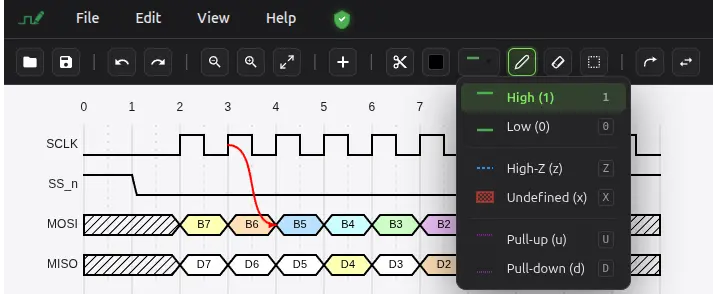
WavePaint is a powerful digital timing diagram editor that works directly in your browser. Unlike text-based tools like WaveDrom, WavePaint offers an intuitive graphical user interface (GUI) that lets you draw waveforms visually, without writing JSON code.
What You Get for Free
- ✅ Unlimited diagrams – Create as many diagrams as you need
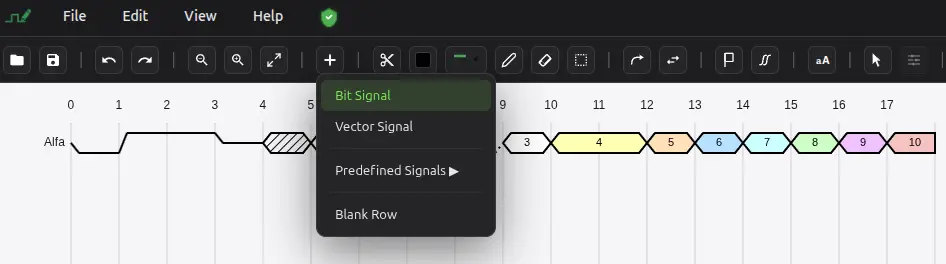
- ✅ All signal types – Bit signals, vector buses, blank rows
- ✅ Full editing tools – Paint, erase, select, copy, paste
- ✅ Arrows and markers – Professional annotation tools
- ✅ Signal groups – Organize complex diagrams
- ✅ VCD import – Load simulation files directly
- ✅ Full WaveDrom I/O – Import existing WaveDrom JSON, edit visually, and export back to WaveDrom format
- ✅ Multiple export formats – PNG, SVG, JPG, WaveDrom JSON, CSV, TXT, VCD
- ✅ Built-in examples – SPI, I2C, UART, DDR, PCIe, and more
- ✅ Undo/Redo – 100 levels of history
- ✅ Light and dark themes – Match your preference
No Hidden Costs
- ❌ No subscription fees
- ❌ No feature limitations
- ❌ No watermarks on exports
- ❌ No signup required
- ❌ No credit card needed
Free Software Comparison
| Tool | Cost | GUI | VCD | WaveDrom | Online |
|---|---|---|---|---|---|
| WavePaint | Free | ✅ | ✅ | ✅ | ✅ |
| WaveDrom | Free | ❌ | ❌ | Native | ✅ |
| TimingTool | $395+ | ✅ | ✅ | ❌ | ❌ |
| Timing Designer | $500+ | ✅ | ✅ | ❌ | ❌ |
| TimeGen | $495+ | ✅ | ✅ | ❌ | ❌ |
Perfect for Every User
Students
Learn digital electronics and create professional diagrams for lab reports and assignments without buying expensive software.
Hobbyists and Makers
Document your Arduino, Raspberry Pi, and FPGA projects with professional-quality timing diagrams.
Startups and Small Companies
Get enterprise-quality documentation tools without enterprise-level budgets.
Educators
Create teaching materials and provide students with a free tool they can use at home.
Professional Engineers
Quickly create diagrams without waiting for IT to approve and install software.
Browser-Based Advantages
- No installation – Start immediately
- No updates to manage – Always current version
- Any operating system – Windows, Mac, Linux, Chrome OS
- Any computer – Use on work, home, or borrowed machines
- Privacy – Data stays on your computer
Start Using WavePaint Now
No signup, no download, no cost. Open your browser and start creating professional timing diagrams right now.